
Mahiru Studios Docs
Explore how every tool works from a user's perspective — test controls live in our prefilled mini-app sandbox below, or jump to specific topics.
2-Step Verification Pass
Replaces unguided single-pass AI translations with a 2-step verification pipeline that enforces character voice and prevents name drift.
- Pass 1: High-precision raw draft translation pass.
- Pass 2: Verification pass cross-referencing Series Glossary & Summary.
- Syncs character names, honorifics, and local slang automatically.
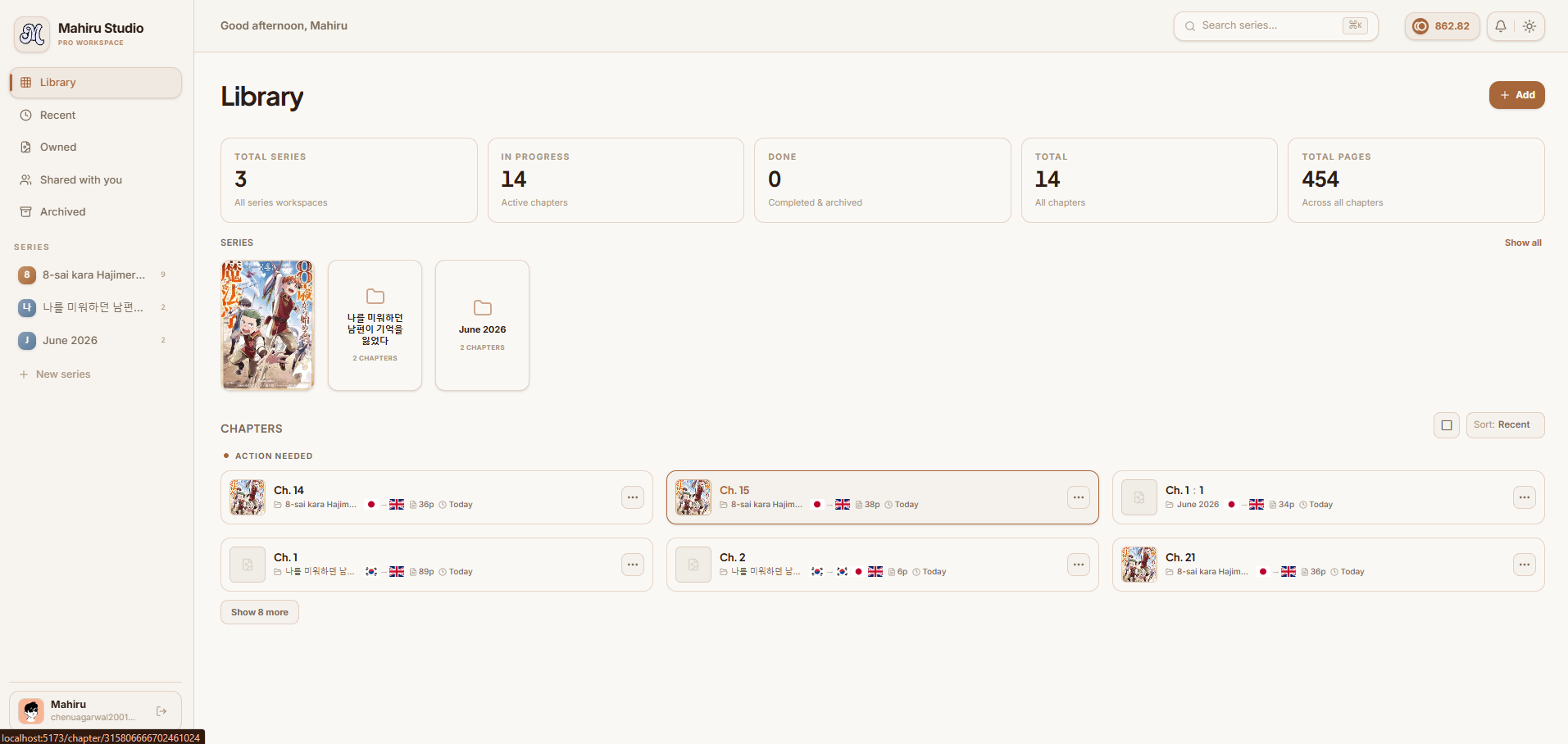
1. Overview & Main Dashboard
When you log into Mahiru Studios, the Dashboard serves as your main command center. Designed for fast navigation, it highlights active manga series, credit wallet balance, and team role assignments.
2. Client-Side Page Stitcher
Join split webtoon pages or double-page spreads directly in your browser using our WebAssembly HTML5 Canvas stitcher.
- • 100% Local Execution: Zero image uploads to servers; runs in your browser memory.
- • Auto-Gutter Alignment: Automatically detects panel seam gaps.
- • High-Res Exports: Save in
WEBP,PNG, orJPEGformats.
3. Vision OCR & Bubble Extraction
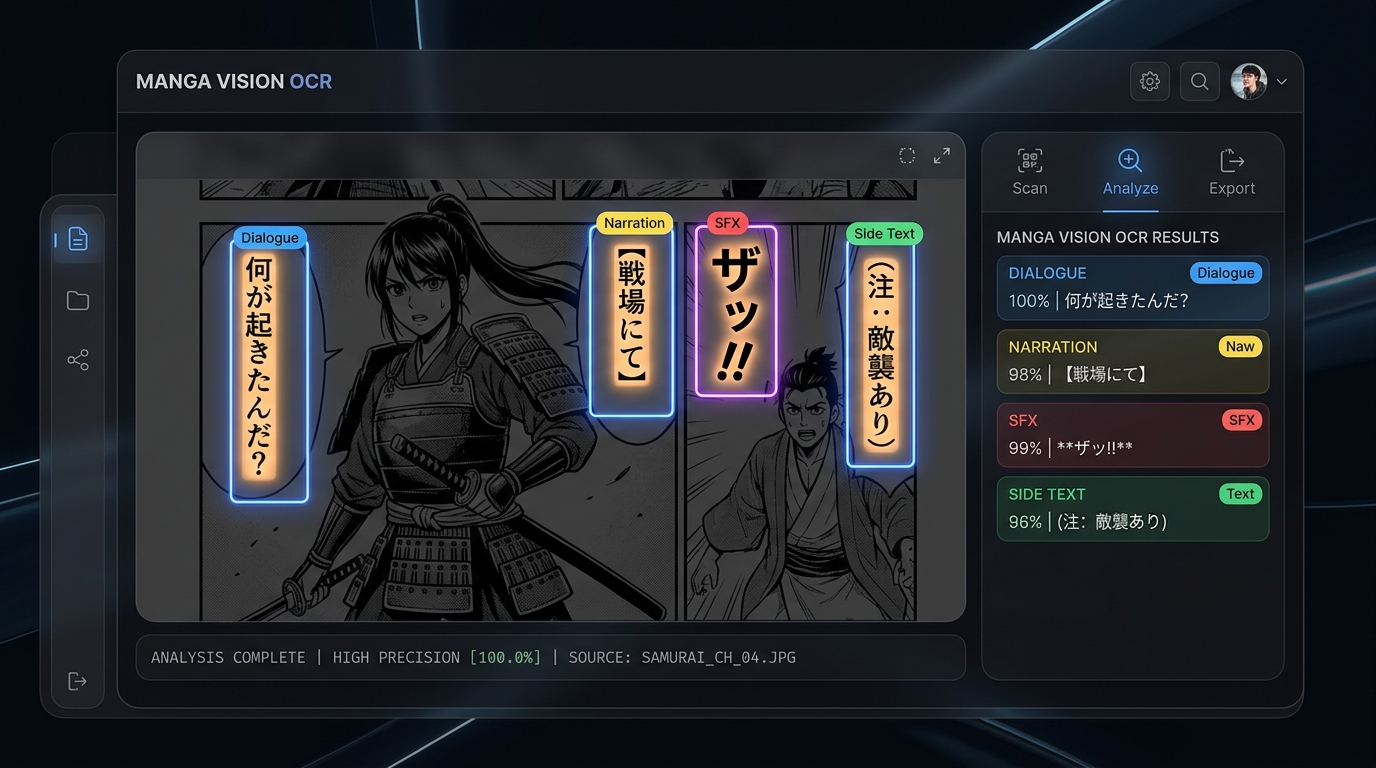
Multi-model vision OCR extracts speech bubbles, SFX, and side text in reading order.

4. Handwriting & Manual Bounding Tool
For complex handwritten SFX or stylized vertical notes that vision AI misses, use the Handwriting & Manual Bounding Tool to draw custom bounding boxes and transcribe text directly on the canvas.
5. 2-Step Verification Pipeline
Our translation engine uses a 2-step verification pass to eliminate tone drift and enforce character voice:
Raw Draft Translation
High-precision literal line translation directly from extracted Kanji/Furigana.
Verification & Refinement
Cross-references Series Glossary and Chapter Summary to polish dialogue flow.
6. Series-Scoped Glossary
The series glossary maintains character names, honorifics, and location terms across all chapters. Fuzzy string matching automatically catches terms despite OCR typos.
7. Models & BYOK API Setup
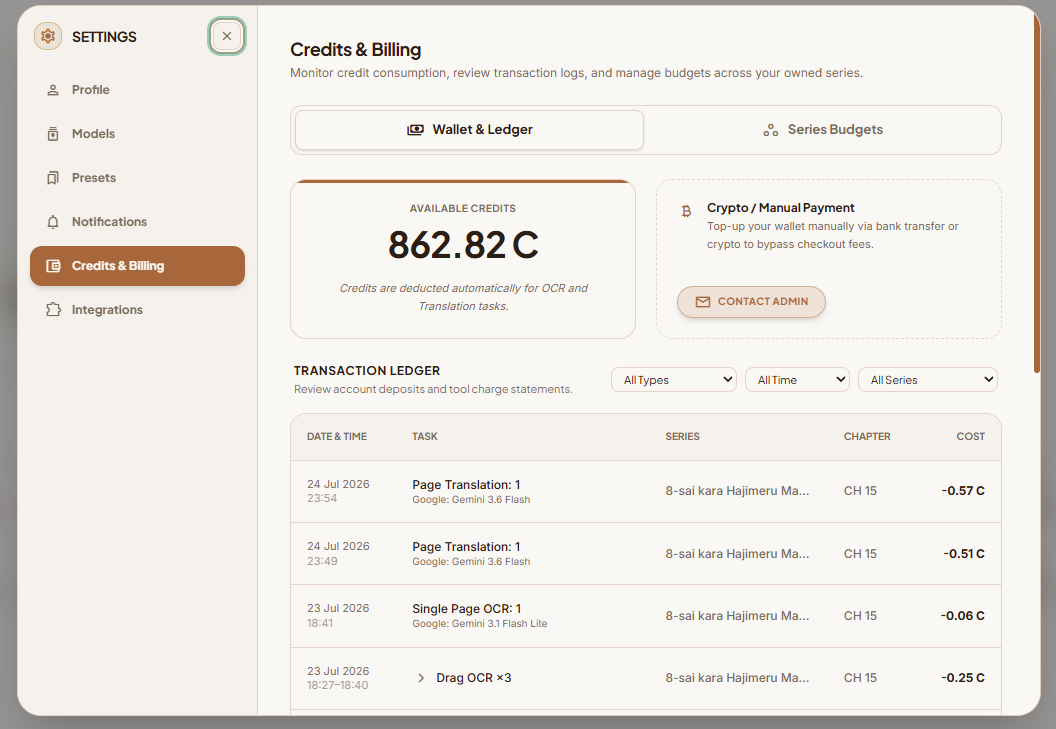
Attach your personal Gemini, OpenAI, or Anthropic API keys in Settings.
8. Presets & Legends
Save custom legend tags (Dialogue, SFX, Narration, Side Text) mapped to font presets so typesetters can export pre-styled text in one click.
9. Google Drive & R2 Integration
Stream raw scan folders directly from Google Drive into Cloudflare R2 signed URLs with zero local disk waste.